(kodu)kontoris
project overview
(kodu)kontoris is a small slack app that shows who is in the office and who is working from home. every morning it asks one question, you answer with one tap, and the whole team can see the result at a glance. i had the idea for a while, and with ai as my engineering partner i built it myself.
why i built it
nobody asked me to. there was an out-of-office channel where people were supposed to write when they weren't in, but it never really worked. so the project managers did what was easier: they walked to the designers' room to see who was there.
that's the part that stayed with me. the team had a channel for this and still preferred to physically check. there was no quick glance, nothing that showed everyone at once.
the office also has a limit. eight designer seats, and a team that's in and out all week. so it wasn't only about who was around. it was also about whether there would be a desk.
i'd had the idea for a while, and a teammate was the first to build it: a bot that posted in a channel and asked everyone whether they were in the office or at home. it was the simplest form of the idea. it covered the asking, but not the seeing. a channel is a stream of messages, so the answers got buried, just like they had before, and nobody could take in the whole team at a glance.
so i took it back to the start and redesigned it around how people would actually use it, and why: one place to look, not another thread to scroll.
i'm a designer, and ai is what made building it possible. claude and gemini handled the engineering. the decisions were mine: what to ask, what to show, what to cut.
the name
kodu means home and kontoris means in the office. the name is both in one word, with the home part in brackets, because the team is both. some days you're a (kodu), some days you're in kontoris.
designing inside slack
the channel bot had already shown what doesn't work: anything that lives as messages in a channel turns into noise. but the team already lives in slack, so a separate app would only be one more thing to forget to open.
the way out was the app home tab. it's a page that belongs to the app, not a stream of messages, so the answers can be laid out instead of scrolled past. slack gives you a home tab, modals and direct messages, built out of a fixed set of blocks: text sections, buttons, dividers, small grey context lines, two columns at most. you can't pick a typeface or a colour. so there's nothing to decorate with, and every decision comes down to what information goes where.
the daily question
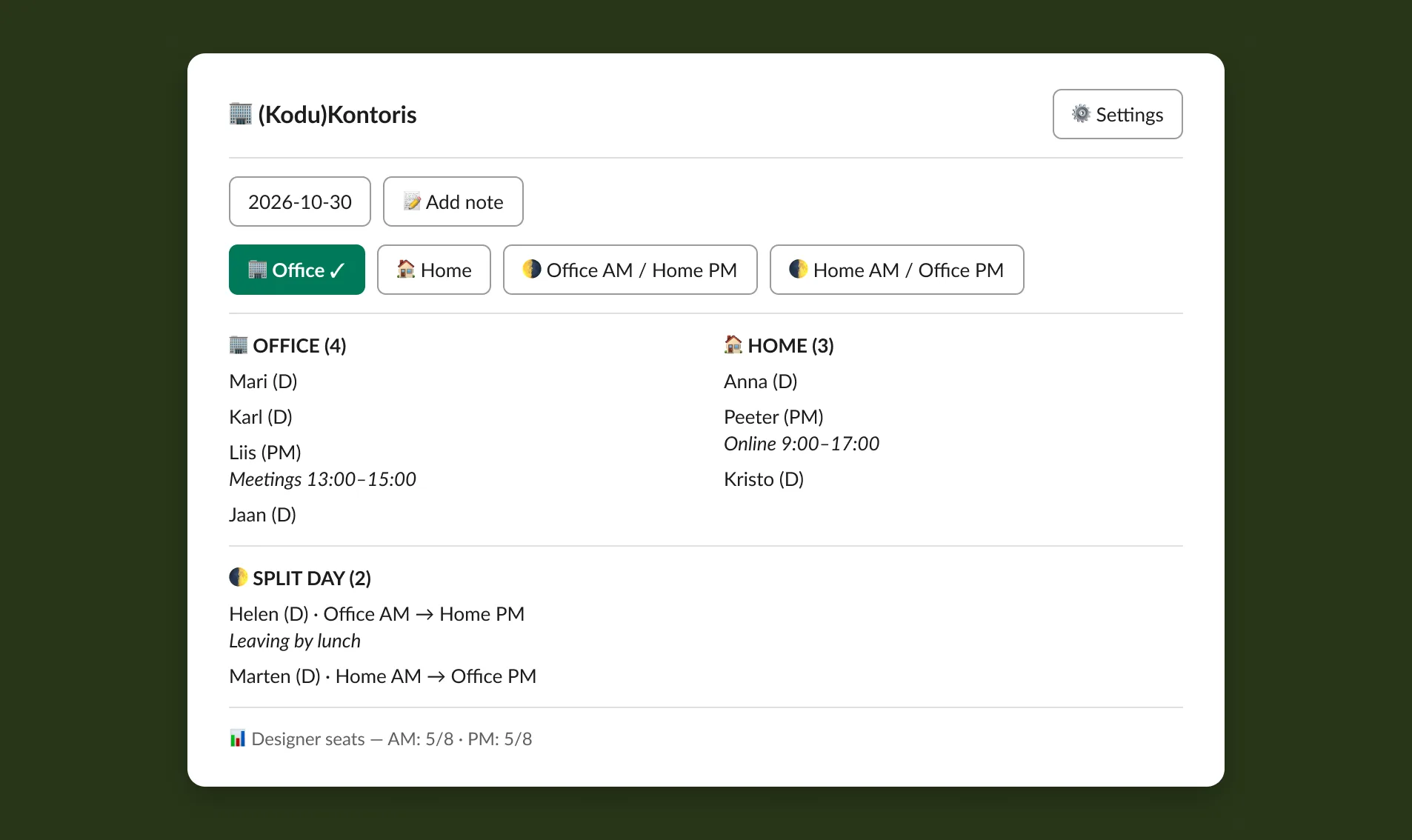
at 7am on weekdays the bot sends one message: where are you working today? under it are four buttons: office, home, office in the morning and home in the afternoon, and the other way round.
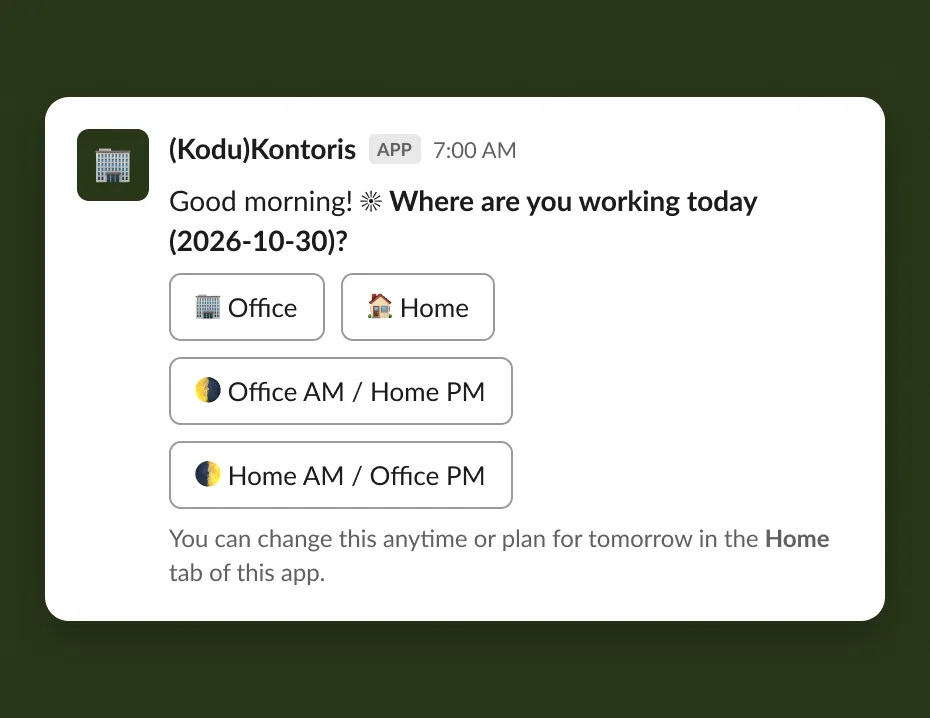
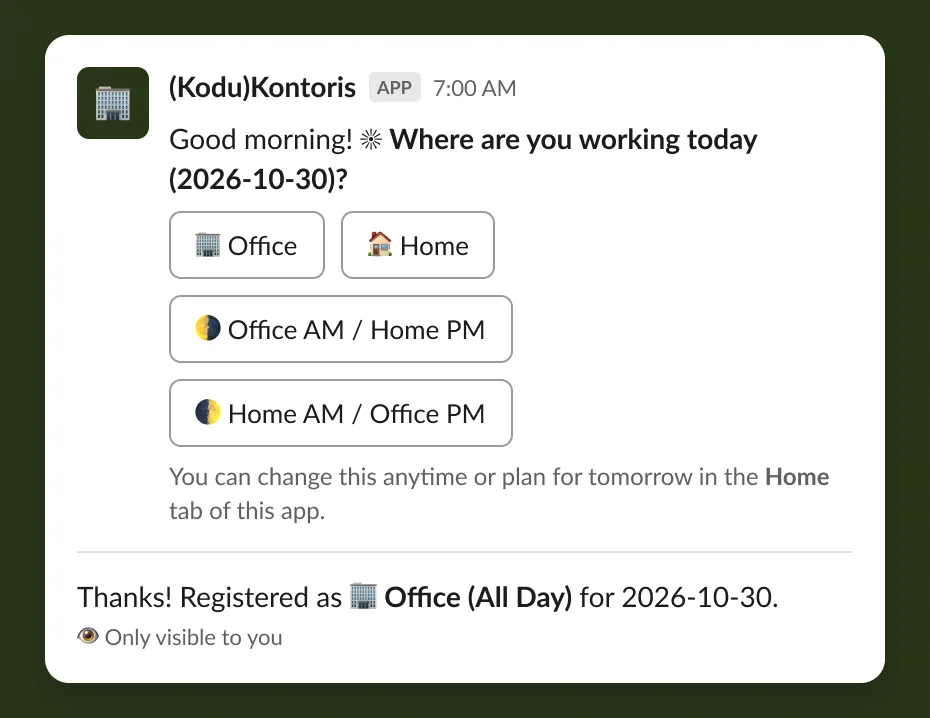
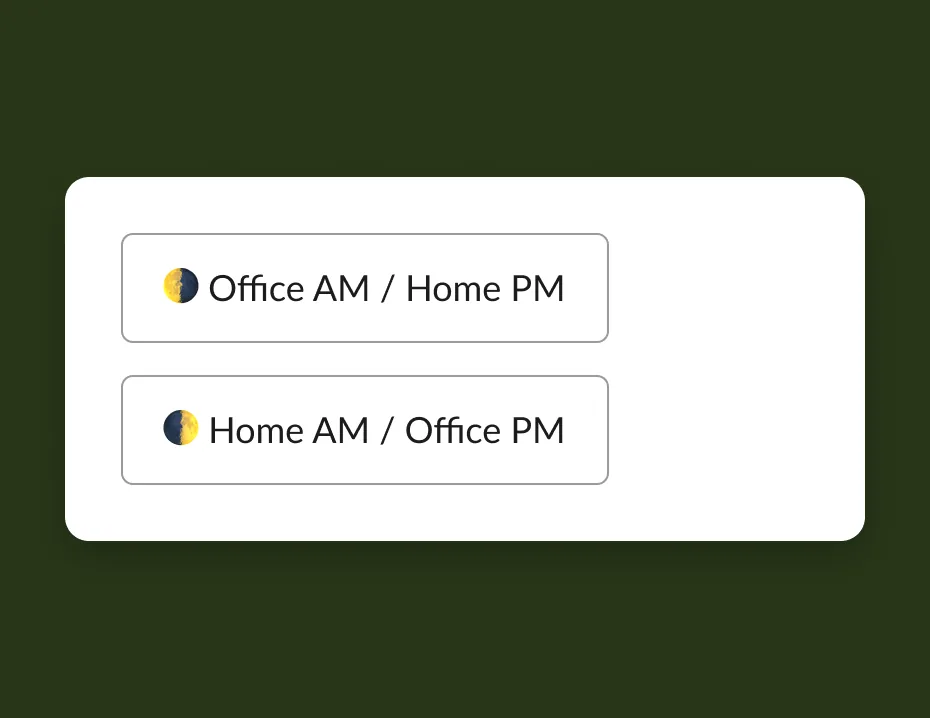
a simple office or home choice doesn't cover a real week. people split days, a morning at home and an afternoon in the office, so those got their own buttons instead of being hidden behind a menu or a "partial" option.
the same four buttons sit at the top of the home tab, built from the same code, so whichever way you answer you see the same choices in the same order. the one you picked gets a tick and the highlighted colour. you can change it any time, or pick another day from a date picker and plan ahead.
the board
the home tab is the main screen, and i built it to answer the questions people actually ask, in the order they ask them.
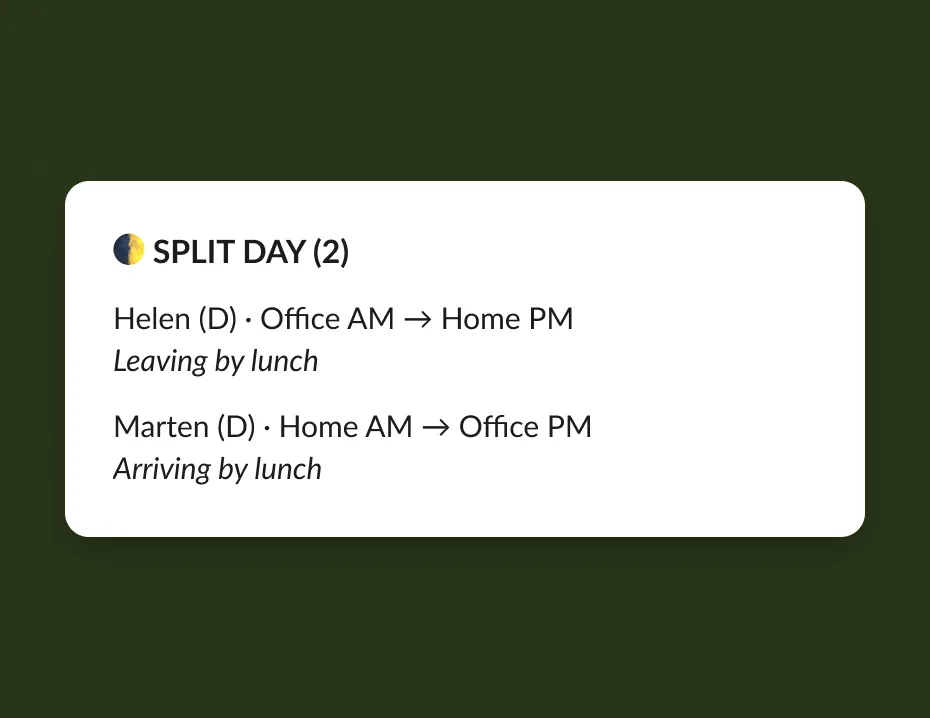
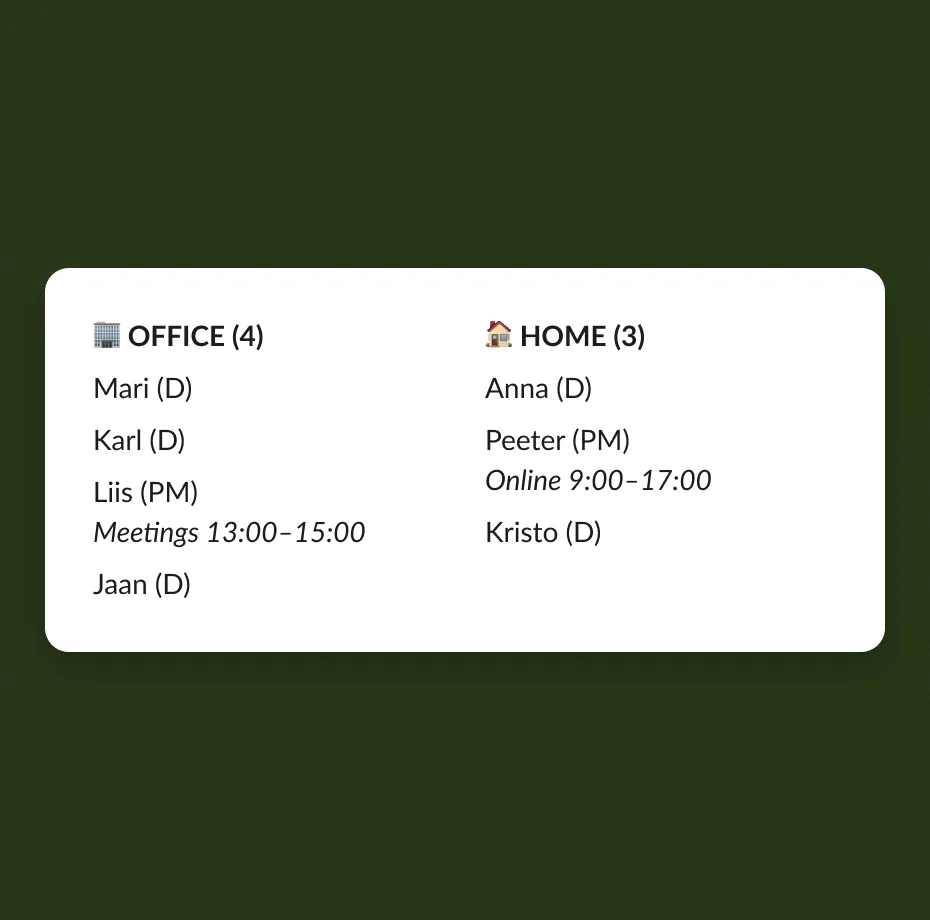
first, where am i. the four buttons and the date picker. then, who's in. office on the left, home on the right, each with a count, and "nobody yet" when a column is empty, so it never looks broken. people on split days sit in their own section underneath. it's for clarity. if you were in the office but have left, or you know you'll leave by lunch or arrive by lunch, you shouldn't show up as plain "office" or "home" and leave people guessing.
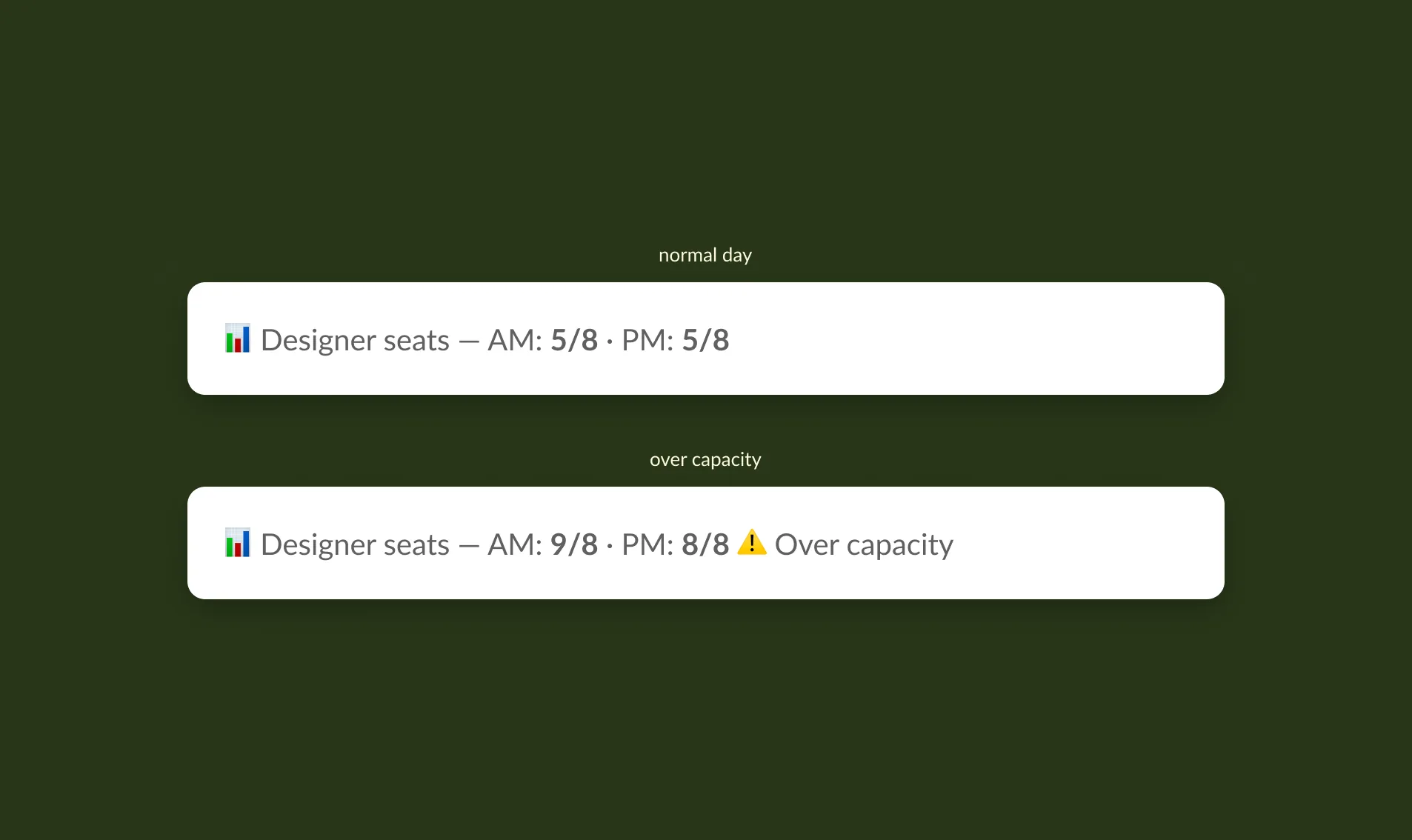
last, is there a seat. one line at the bottom: designer seats taken, morning and afternoon counted separately, out of eight, with a warning if it goes over. only designers count, since project managers don't use those seats.
each person is shown as a first name and a letter code, D or PM. that's enough to know who it is and short enough to fit in a narrow column.
the status that updates itself
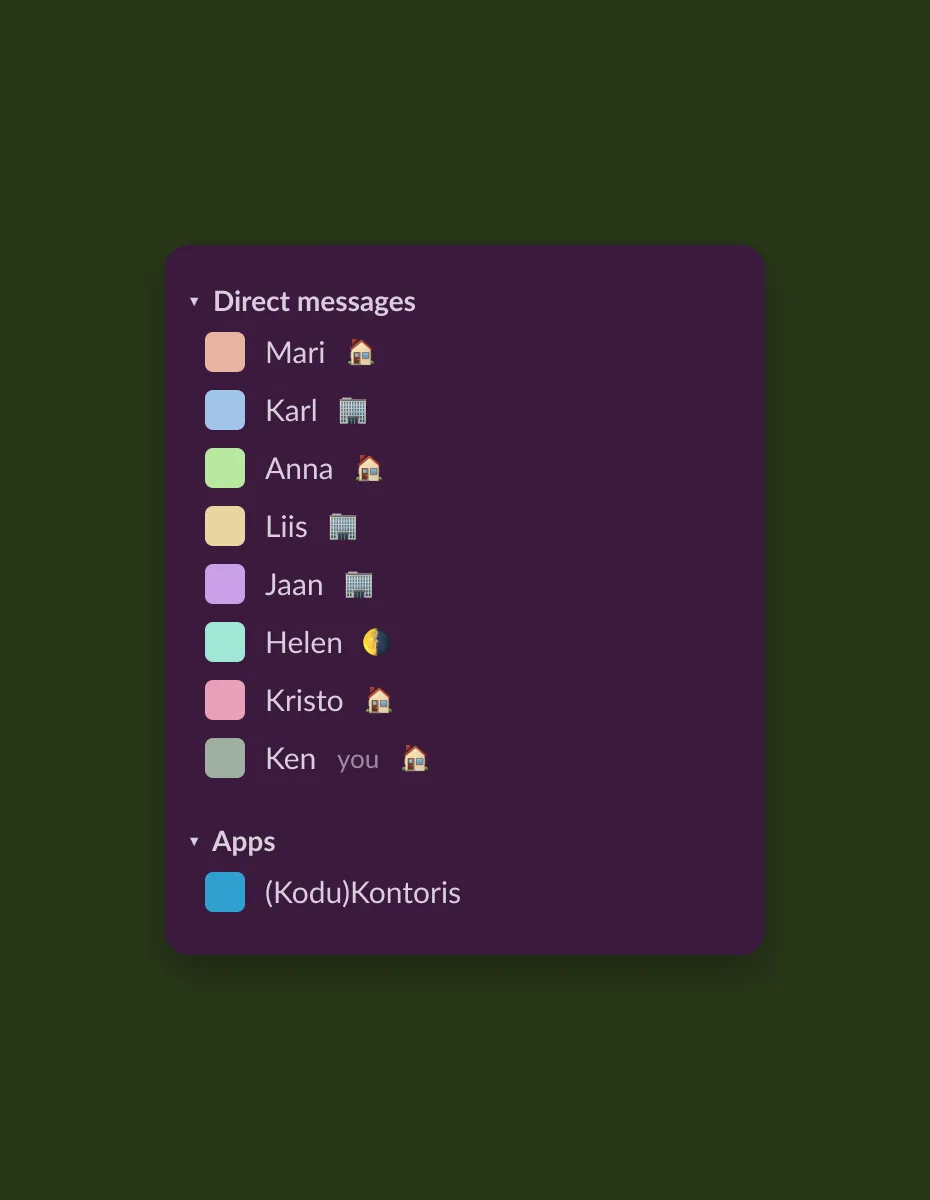
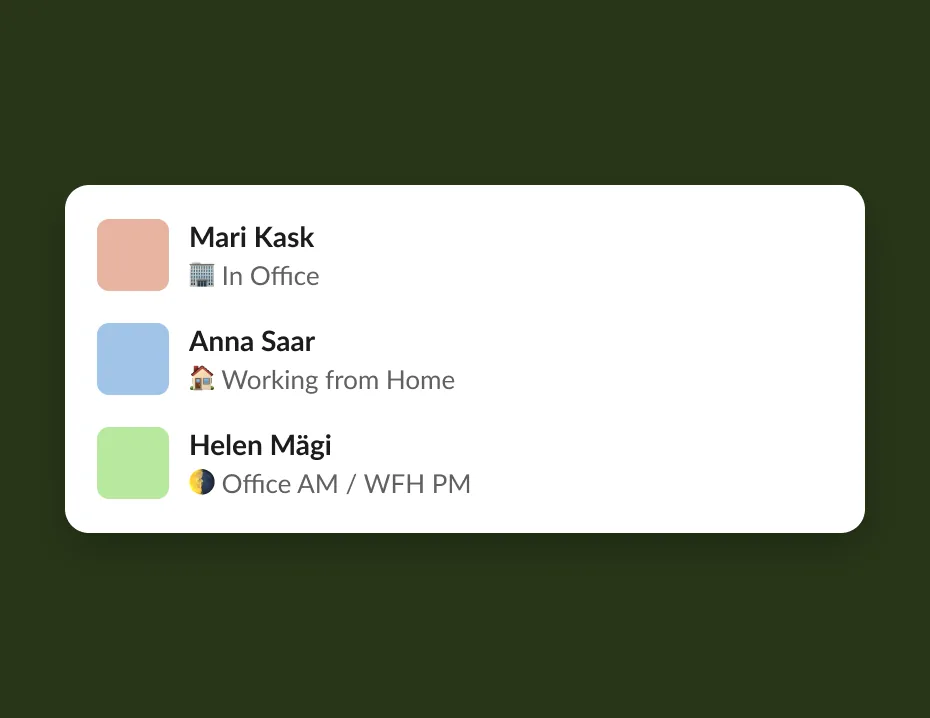
logging where you are also sets your slack status, and this is where most people actually see it. the status emoji sits next to everyone's name in the sidebar, the place people look all day without thinking. a house, a building, a half moon. you don't open the app to find out where someone is, you just see it while you're on your way to message them. it clears itself at the end of the day.
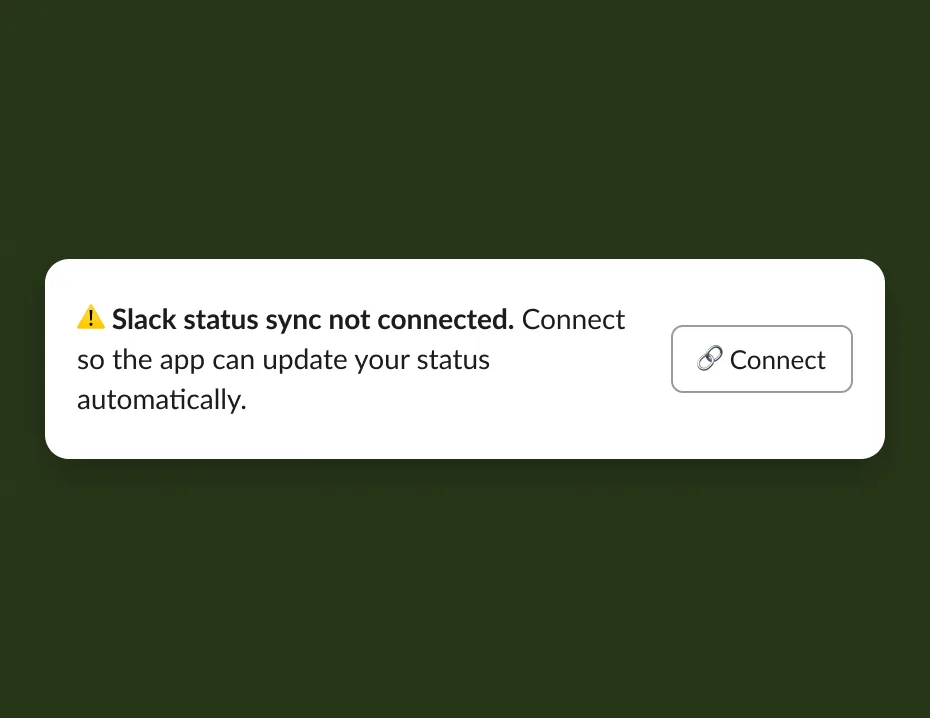
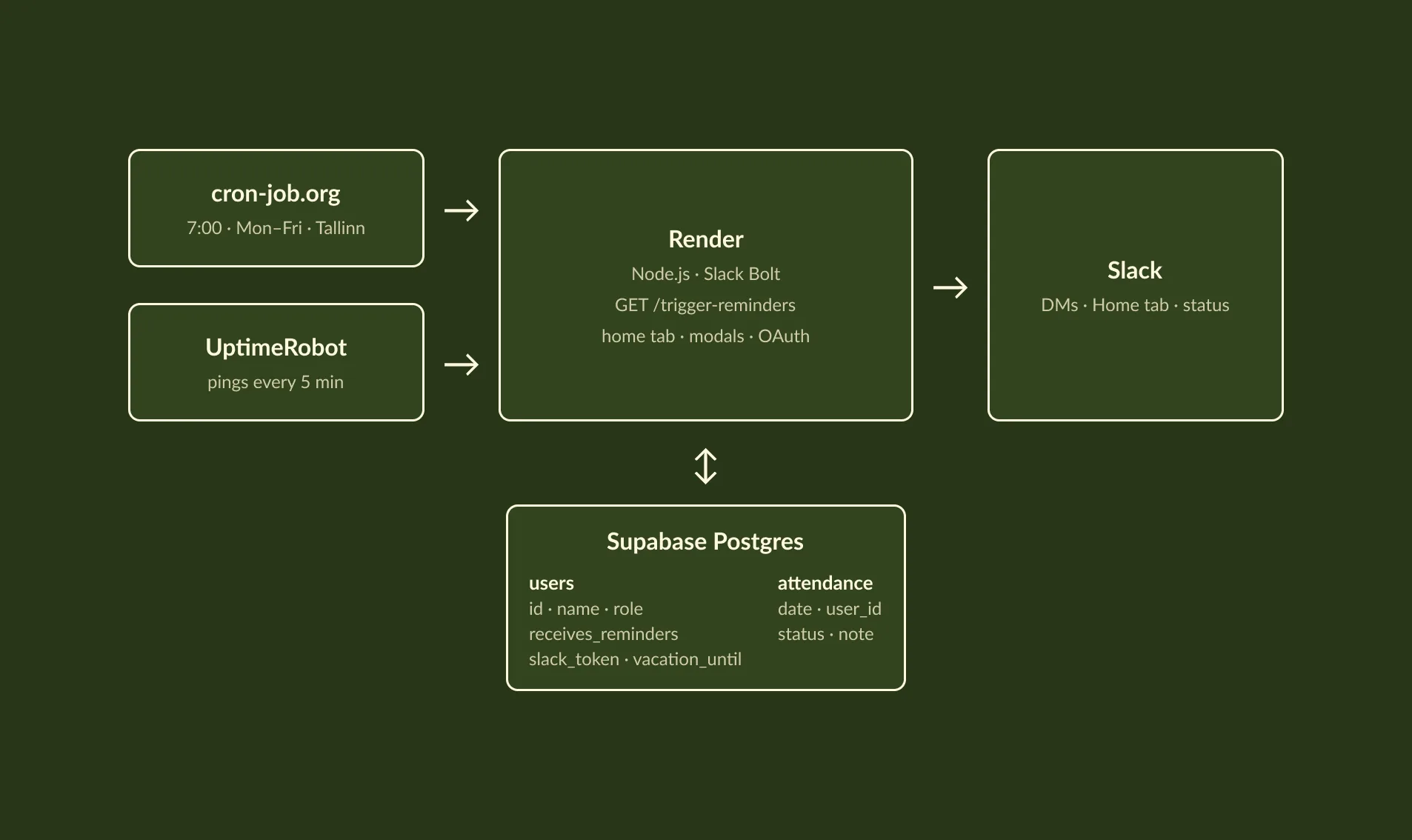
this was harder than it looks. my first version tried to set statuses through slack's admin api, and it didn't work. the fix was to ask each person to connect their own account once, through a small authorisation step. that changed the design: the home tab now shows a "connect" banner, but only to people who haven't connected yet, and it disappears after. the vacation banner follows the same rule. it only shows up when it applies to you.
i also had to get the time right. the app first used the server's idea of midnight, so statuses expired at the wrong time. i switched everything to tallinn time, including the 7am reminder and the end-of-day clearing.
people can also set their location a day or a week ahead. so the morning job quietly updates the status of anyone who planned in advance, so their slack status is correct before they've opened anything.
the small things
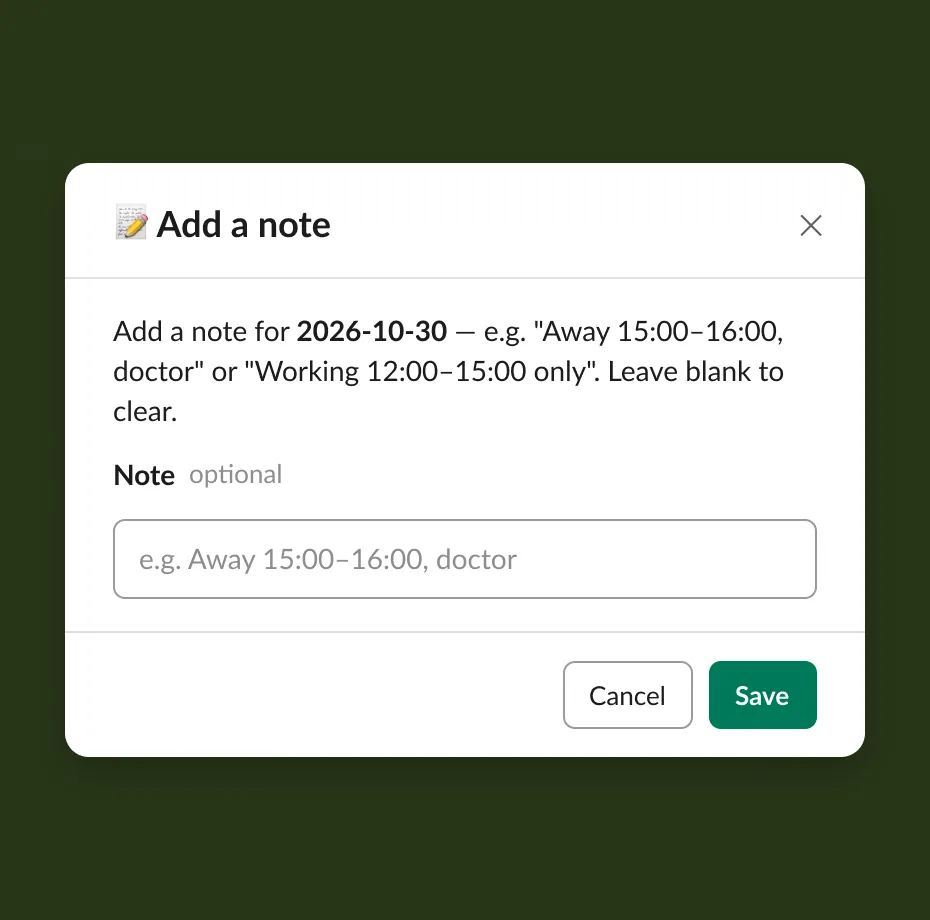
notes. some days don't fit four buttons. "away 15:00–16:00, doctor." "working 12:00–15:00 only." instead of adding a fifth, sixth and seventh status, there's a short optional note, 100 characters, shown in italics under your name. this is also how remote colleagues share their working hours.
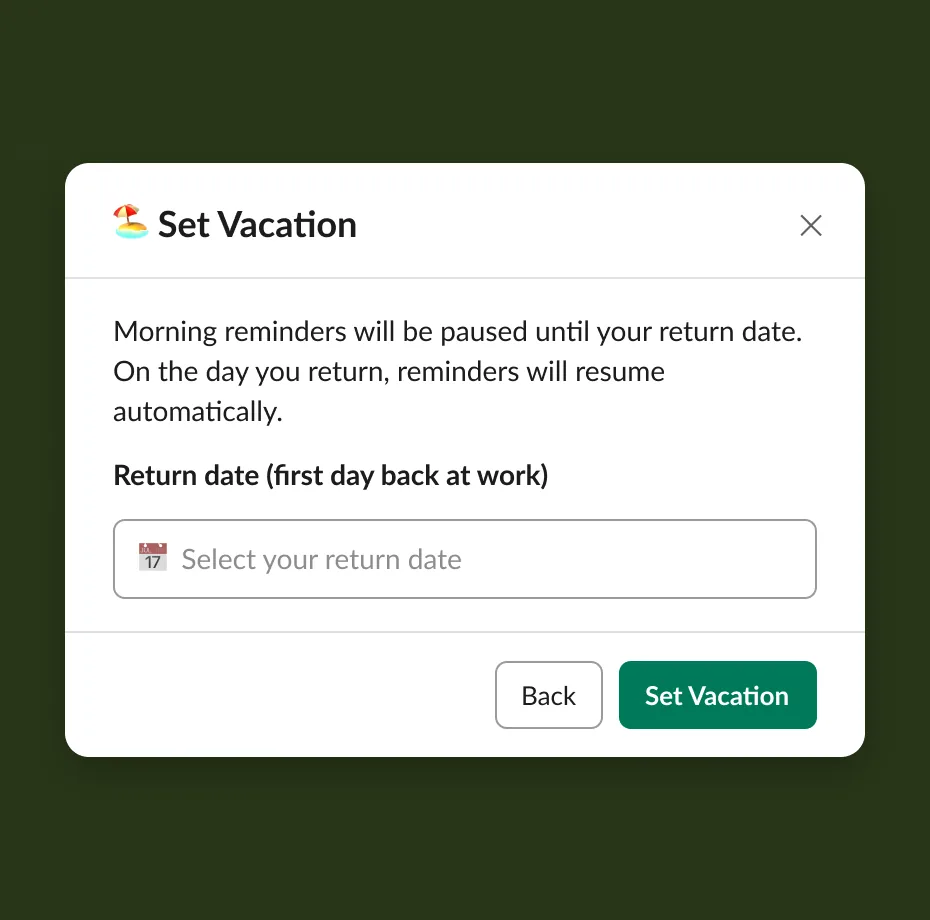
vacation. you pick the day you're back and reminders pause until then, then start again on their own.
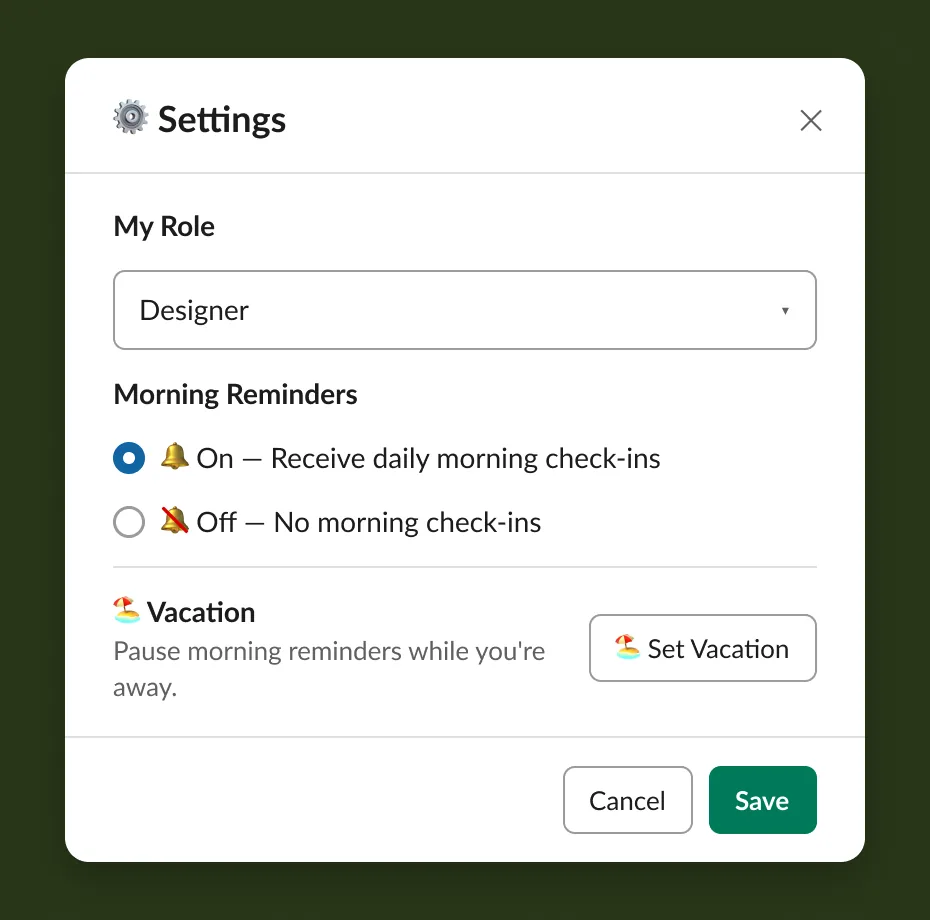
settings. role, reminders on or off, and vacation, all in one place instead of scattered across the screen.
the icons. split days needed a symbol that reads at emoji size. half a moon works: one half lit, one half dark. i went through a couple of options for the office icon, then swapped the two moons so the lit half stands for the office.
taking things away
looking back through the history, most of the good changes were deletions. the third version of the home tab, the one with two columns and a settings modal, removed more than it added. later i merged two copies of the location buttons into one, dropped the "all day" label from every office and home line since the column already says it, and removed a dependency the app wasn't using.
i try to ask one question every time: is this already said somewhere else on the screen? if it is, it goes.
keeping it light
it's an internal tool for seeing where people are working right now. there's no need to keep records, so attendance older than a week is deleted automatically. that keeps the data clean and lean.
on the practical side, the reminders are triggered from outside the app. the free hosting puts the app to sleep when it's idle, and a sleeping app can't send a 7am message. people can turn reminders off completely, and the bot waits a second between messages so it doesn't flood slack.
how it went
it took four days to get from the first deploy to a version i was happy to show the team, and it kept growing for a few weeks after that: notes, the morning status sync, the cleanups. the team was excited to see it in action, and everyone uses it.
the result is simple. no more ambiguity about who's where. anyone can see the whole team at a glance, and the daily "where are you today?" questions stopped. remote colleagues also have an easy way to post their working hours. all 17 of us use it.