refleks workspace
project overview
an internal work tool for a fifteen-person design studio, built around the questions a studio asks every day: who is doing what, for which client, and by when. in estonian, owned outright by the studio, and live eight weeks after the first commit.
the problem
a studio's day runs on a handful of questions. what's on my plate today? who has room for this? are we waiting on the client, or are they waiting on us? what did we do for them this month? the business suite the studio paid for, per seat, could answer them, but only from under timesheets, budgets and a crm nobody opened.
the brief was a tool shaped around those questions and nothing else. so the first deliverable wasn't a screen. it was a list of non-goals: no time tracking, nothing financial beyond offers, no crm, no chat, no client portal, one company, one language.
shaped by how the studio works
the task form has eight fields, and each one answers one of those questions. there are no priority checkboxes, because the column a task sits in already says how urgent it is. there's no manual "notify" button, because assigning someone notifies them automatically, and a manual option is the one people forget. there's no start date, because the PMs didn't even set due dates.
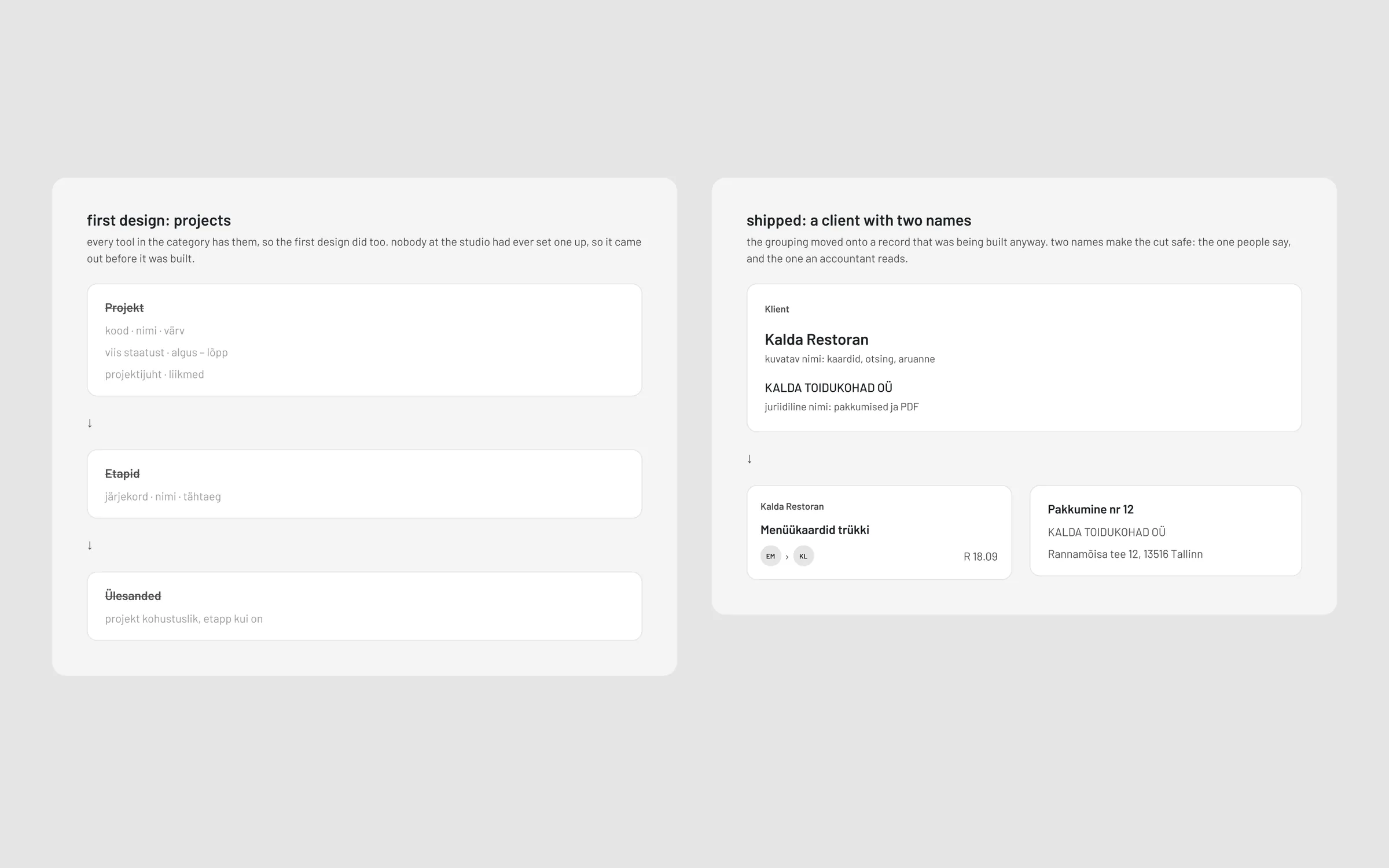
the biggest call came a few weeks in. the first design had projects, with phases, members and timelines, because every tool in the category has them. talking to the PMs showed nobody at the studio had ever set one up. people named the job on a card, but nobody wanted a project module to manage. a field people fill in doesn't prove they want the thing behind it. so projects came out before a line of them was built, and the client now carries the work, with a short display name on the cards ("kiviklips veeb") and the legal entity on the offers the client receives.
colour only where it means something
the studio's brand is black and white, so the interface is too: black, white, three greys, and four hues, each with exactly one meaning.
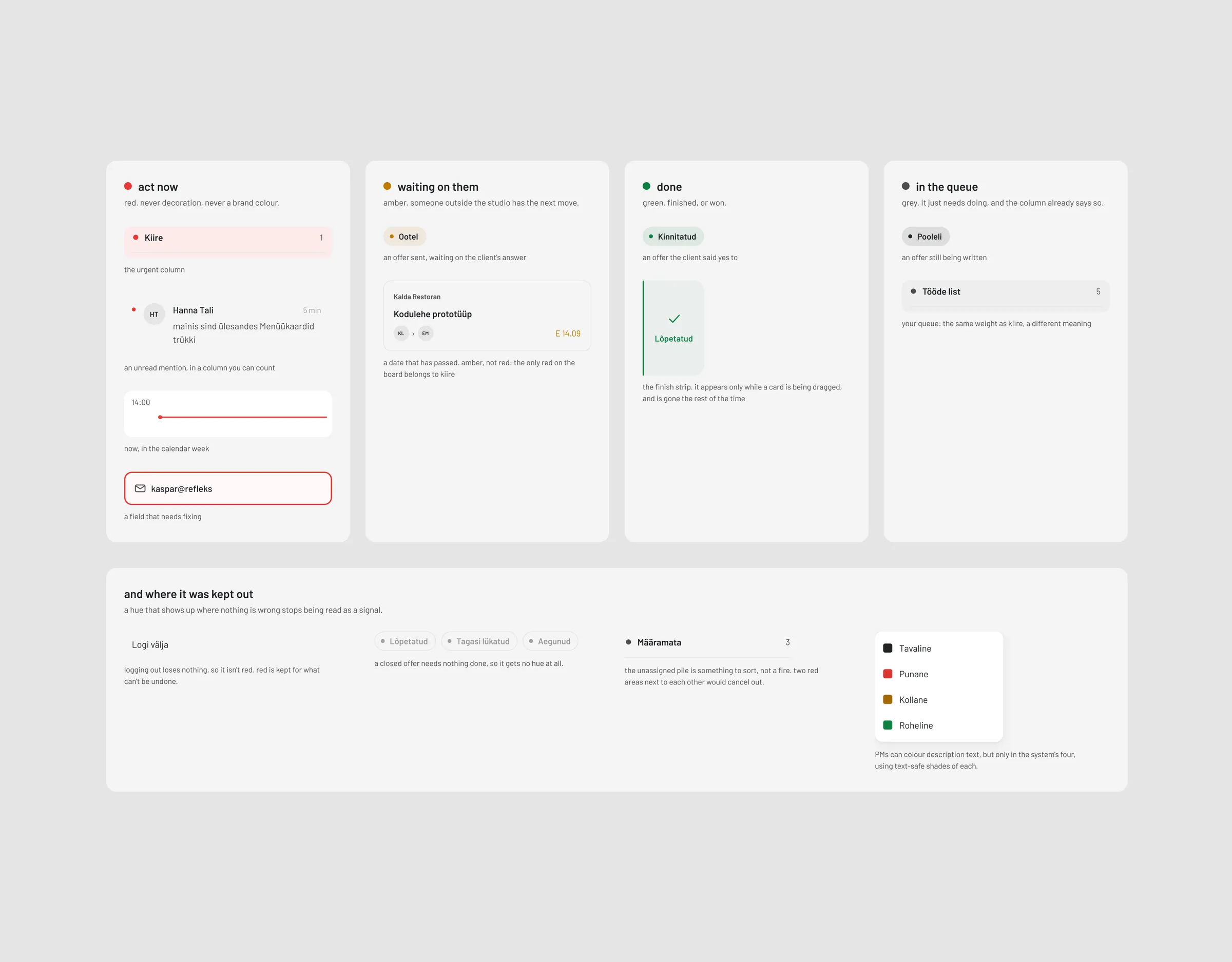
| red | act now |
| amber | waiting on someone outside the studio |
| green | done |
| grey | in the queue |
a hue means the same thing wherever it appears. red is the urgent column, an unread mention, the now line in the calendar and a field that needs fixing. amber is an offer waiting on the client's answer, and a date that has passed. green is an offer won, and the strip you drop a card on to finish it, which appears only while you're dragging.
just as deliberately, some things got no colour. logging out isn't red, because it loses nothing; red is kept for what can't be undone. a closed offer gets no hue at all, because nothing is left to do. the unassigned pile stays grey: it's something to sort, not a fire. and when the PMs asked to colour their task descriptions, they got four swatches, the system's own, instead of a colour picker. if a description could be any red, red would stop meaning act now.
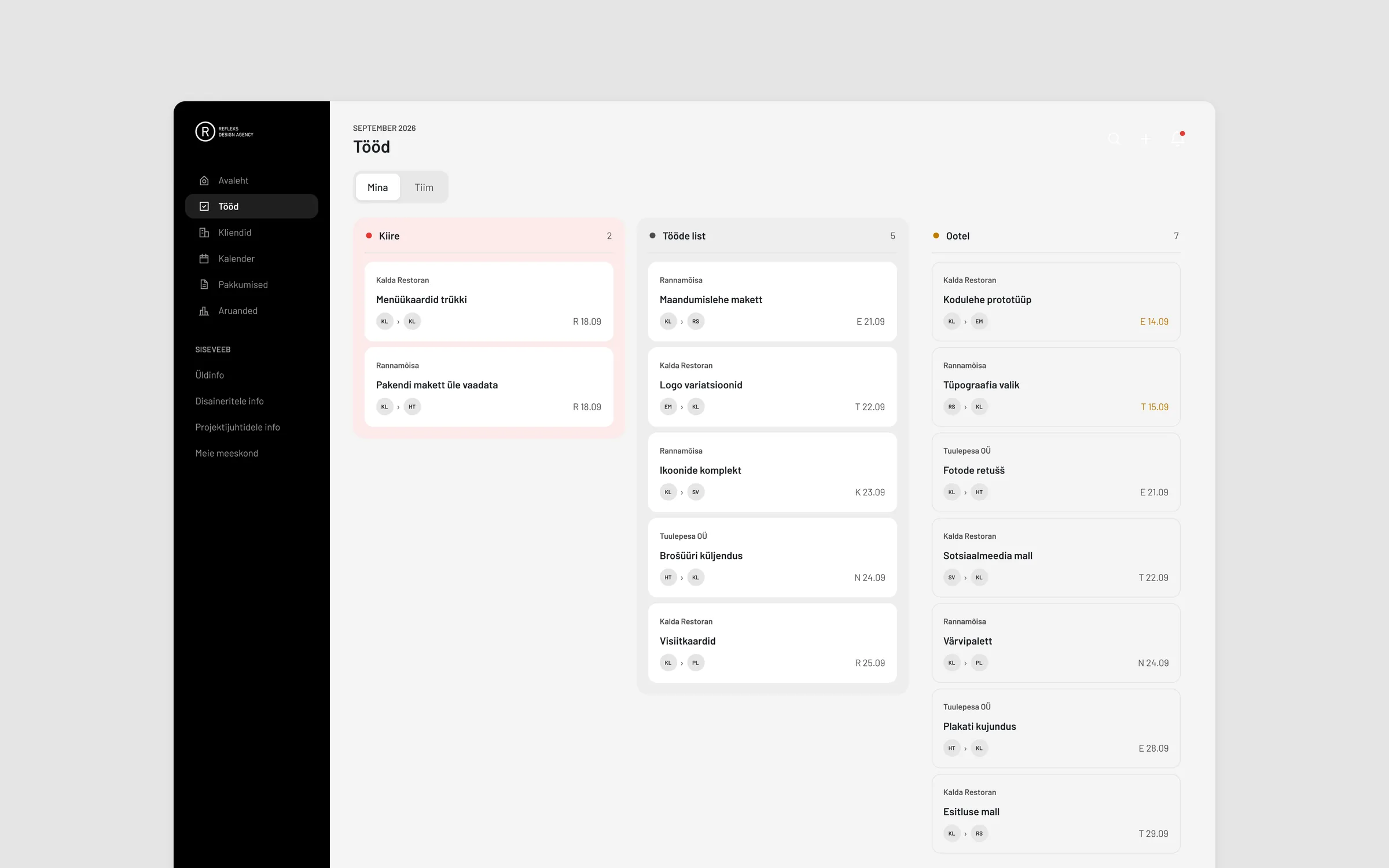
the board is where this got tested hardest. the first version greyed the "waiting" column so it would recede. on screen it did the opposite, because the cards are white and a darker ground makes white cards stand out more. so the rule split in two: hue says what a column means, value says how much its cards should demand attention. the queue column got the grey so its cards come forward. waiting went to plain white so its cards sink into the page.
the urgent column was the hard one. it's empty most days, and a loud red band that is always on screen soon stops reading as a signal. so it first sat at a 3% wash, barely there. later the columns started hugging their content: an empty urgent column became a small, quiet box rather than a full-height band. that meant it could finally carry a real tint, and red became the only hue on the board. what needs noticing is a card arriving there. the ambient layer is styled for the state it's in most of the time, and contrast is saved for change.
one board, two questions
a designer asks what's on my plate. a PM asks how loaded is everyone. the work board answers both with one switch: mina shows your own work in four status columns, and tiim shows a column per designer, with status as rows.
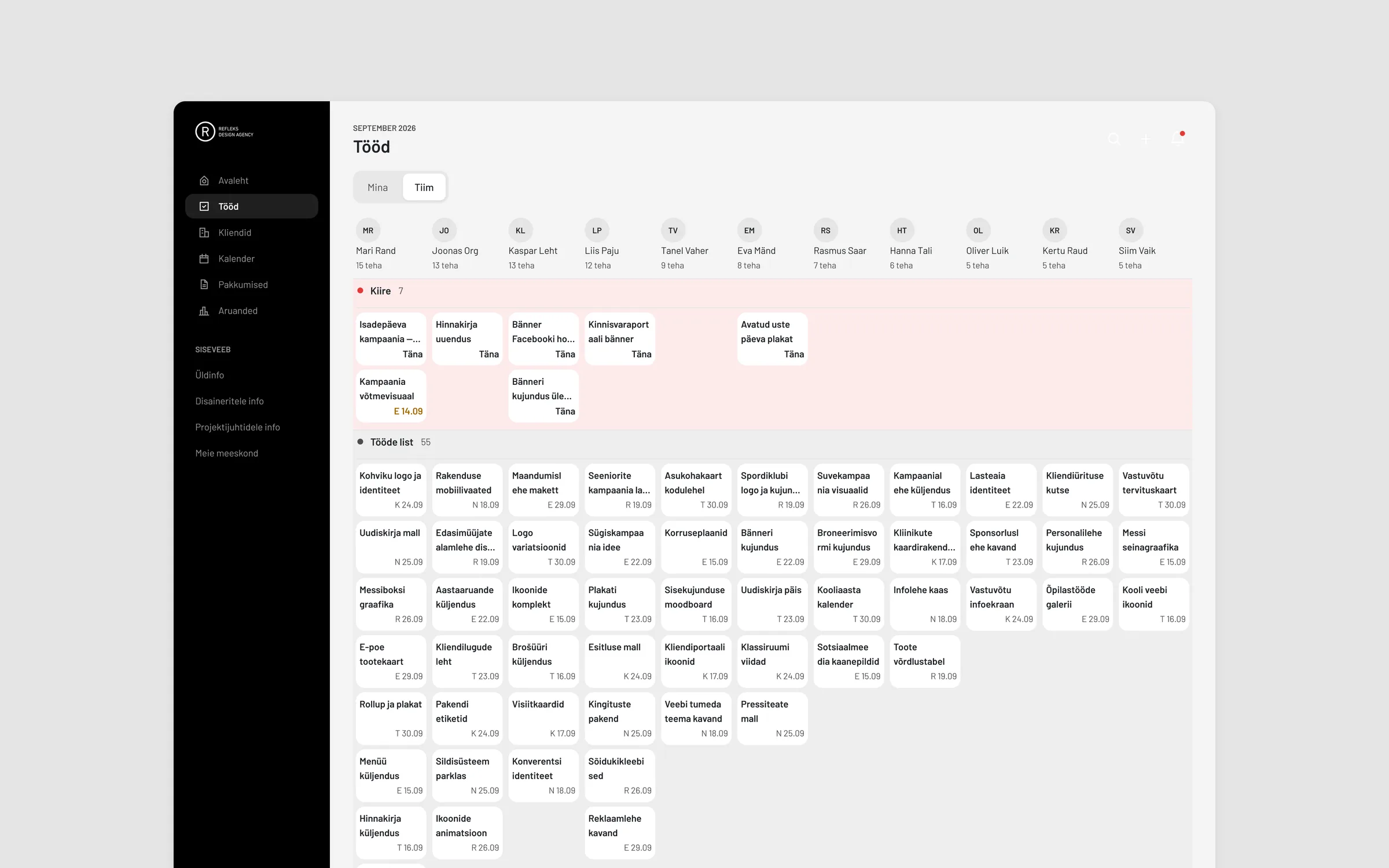
the first team view scrolled sideways. the studio lead wanted the whole team on one screen, so the columns now compress to fit, and the cards get a third, denser layout: client, title and a date that turns amber when overdue. the avatars were dropped there, because on a column per person the column already tells you whose work it is. column height shows how much each person has on.
the small things that make it trustworthy
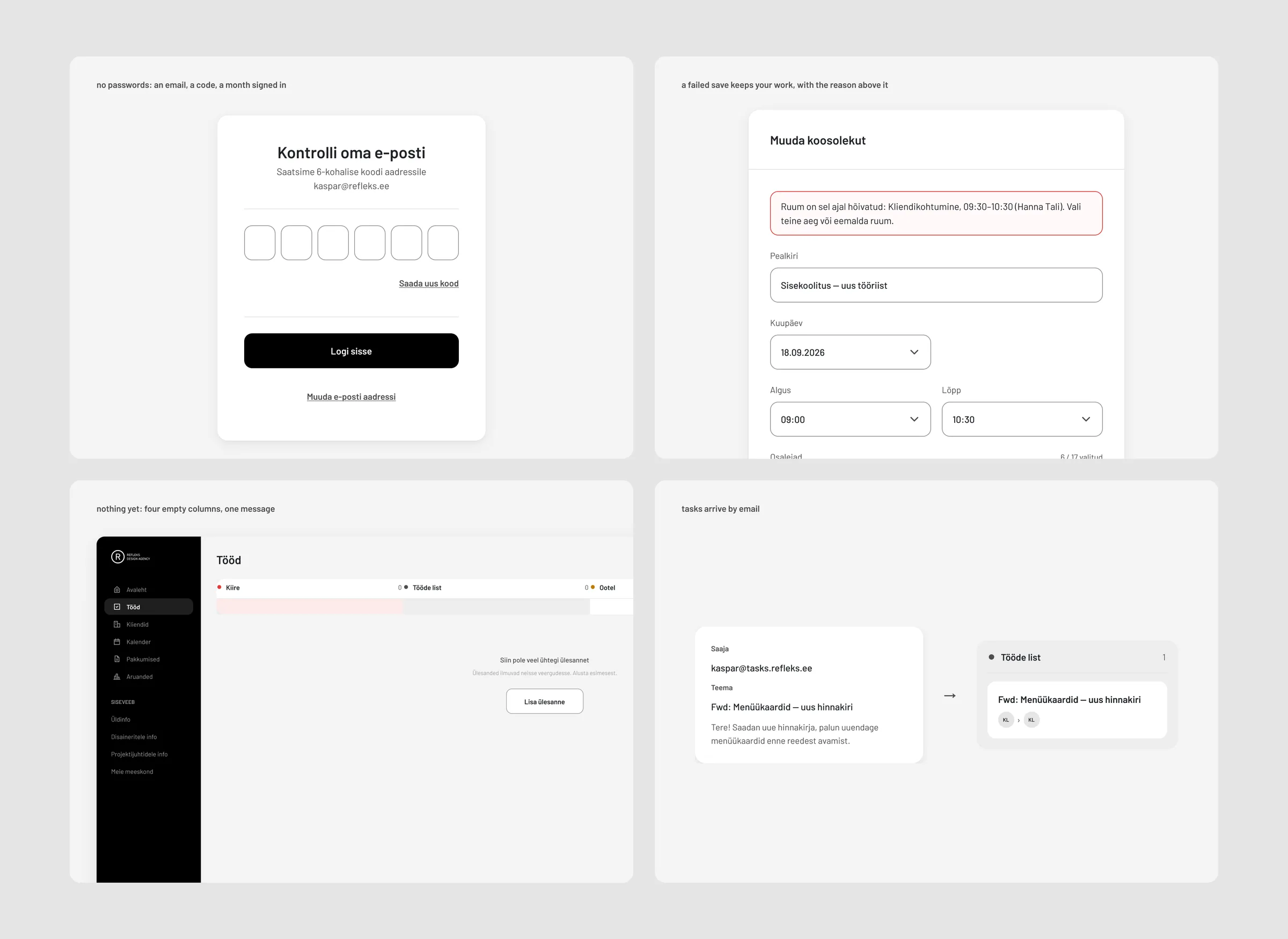
- a failed save keeps your work. on the long forms (offers and room bookings) the form stays open with everything as you typed it, and the error sits right above the fields. no toast, because a toast disappears at the moment you most need to re-read it, and it can't show you that your typing is still there.
- three kinds of empty. nothing yet gets a button. nothing matched gets no button, because the fix is changing the search, not making a duplicate. nothing needed gets silence. an empty urgent column is good news and doesn't need a message saying so.
- no passwords anywhere. you type your email, get a six-digit code, and stay signed in for a month. access is a row in a table, so removing someone is a single switch.
- tasks arrive by email. everyone has their own task address. forward a client email there and it becomes a task in your list. it doubled as the migration: the team forwards the tasks that are still alive, and the rest stay behind.
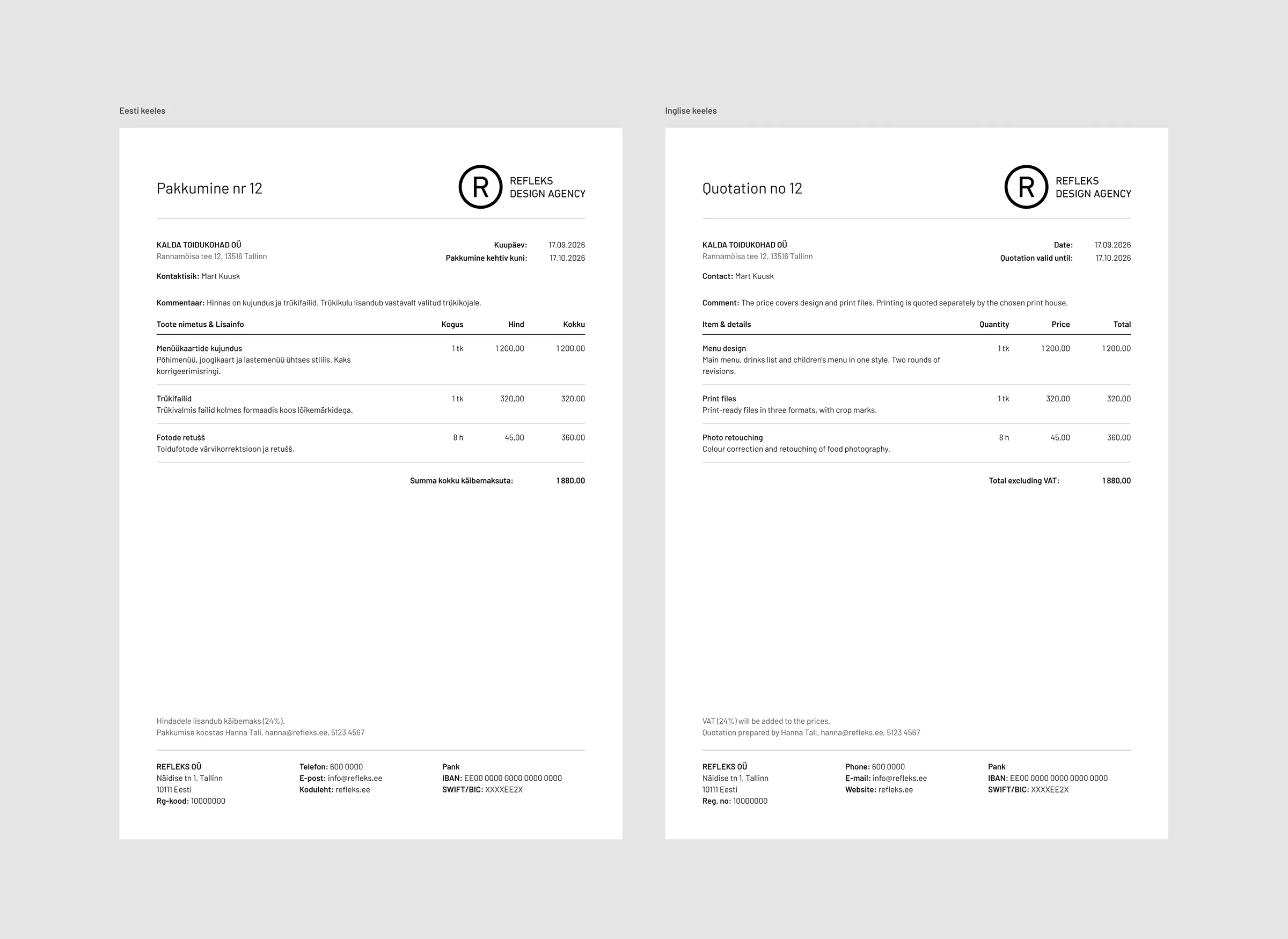
- an offer prints itself. the PM fills in a form with line items and gets a branded PDF. one control switches the whole document between estonian and english.
- a new client is looked up, not typed. the client form searches the estonian business register and fills in the legal name and registry code.
from figma to code
the design system was built in figma first: variables before components, and components before screens. no screen had a single free-standing text layer. that discipline paid off on the day the typeface changed. switching the whole product from inter to barlow (three weights, never bold) took ten edits to the text styles, and 38 component pages updated with them.
the code mirrors the system. every colour lives in one token file, and the build fails if a hex value shows up anywhere else. halfway through, the code became the source of truth: new screens are now designed directly in the browser, where you can feel a slow list or a fiddly form in a way a static frame can't show you.
every decision that would be expensive to undo is written down with its reasoning: 124 of them by the time the product went live. several of them say i got this wrong, and here is why. those turned out to be the most useful ones to keep.
outcome
- live platform, with the team moving over
- 240 client companies and 160 contacts migrated
- eight weeks from first commit to live
- running cost a fraction, against the suite it replaces at fifteen seats
- tested with 12,000 tasks on one board